
Updated Google Maps, OnX and PlugShare: These 3 Apps Are My Apple CarPlay Staples
Maps are now a category on their own, and these three are my go-to for smart, safe trips

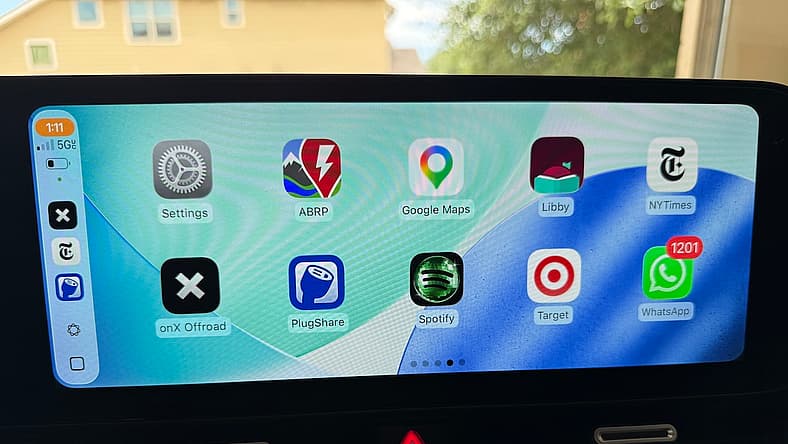
I’ll go ahead and let you say it: “Put your phone down!” I feel like I say this to other drivers multiple times a day. But I get it; you need to see your navigation and have your questions answered while traffic is moving at 70 miles an hour. Or crawling. That’s why I’ve narrowed my navigation apps down to three: Google Maps, OnX and PlugShare.
With these three apps, all of which will display on Apple CarPlay and Android Auto, I can get everywhere I need to go no matter what car I’m driving, what type of road I’m on and how strong—or lacking—the cell phone signal is.
This story is 100% human-researched and written based on actual first-person knowledge, extensive experience and expertise on the subject of cars and trucks.
Read: The Google Maps Update Is Now Smarter and Easier to Use, Thanks to Gemini
Google Maps Was Redesigned and Now Uses AI To Better Help You
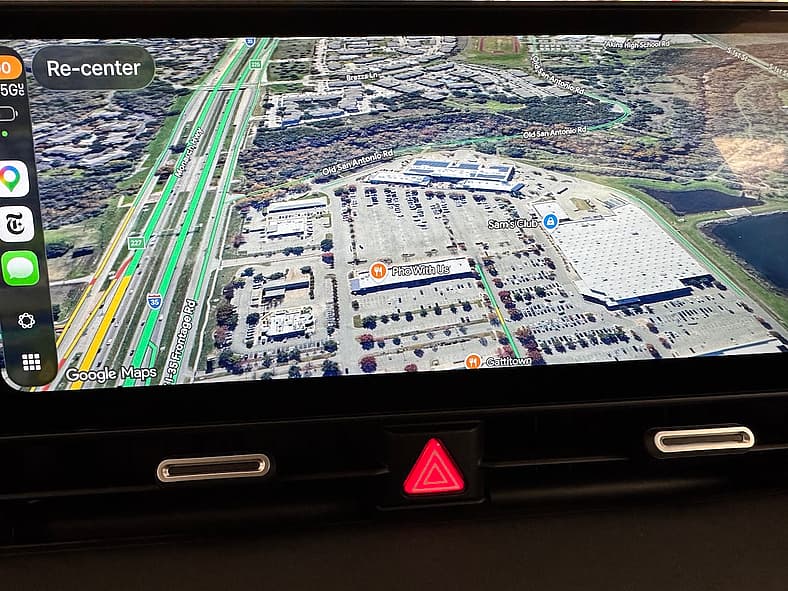
Maybe my favorite of these three is Google Maps. The system was just redesigned and now, I can’t look at it in its old design. Hint: turn on the 3D satellite view for a true view of the road ahead.
I’ve been a Google Maps fan for a while now; one of the original navigation apps, I’ve long used it to determine routes and travel time, to look at traffic and reroute when things get sticky.
It migrated with me to my car via Apple CarPlay and now, I use it for much more: finding restaurants with particular menu offerings, head spas with 5-star reviews and as a backup to my other apps; if something looks odd, I ask Google Maps.
Read: The 10 Best Apple CarPlay Adapters
Google Maps Lets You See Much More Than Maps

I love that it has reviews of places, so I can see what others say about hotels, car washes and restaurants before I commit the time to drive there and be disappointed.
I also look at street view images to see exactly where I’m going, what the parking situation looks like and to get a visual so I know what I’m looking for.
The Updated Google Maps Is Even Better
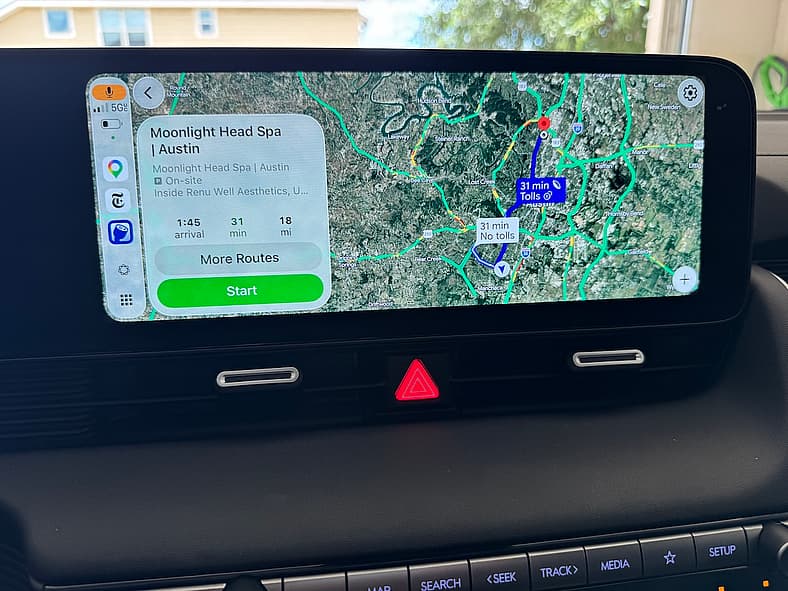
The first tip I’ll share is to turn on Google Maps satellite view if you haven’t already. The images are crisp and easy to see and as the system updates with its new design, there will be more features. You’ll be able to see flyovers and underpasses, around corners with views blocked by buildings and other key navigation information.
My current go-to, though, is Ask Maps. This is where the AI is fully functional and really helpful. Just tap Ask Maps and talk to it like you would a human: Can you show me all the head spas in Austin with five star ratings that are open past 7PM?
Updated Google Maps Will Soon Be Integrated Into Your Car
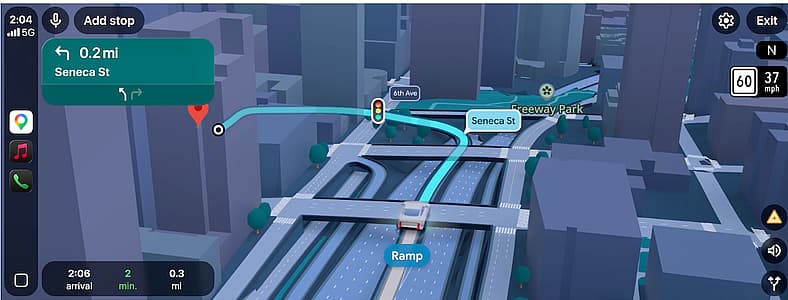
It can’t (yet) access your own calendar or other apps, but that’s coming. And, soon (in theory) it’ll be able to make that appointment for you. Even better, much of this function is being integrated into new cars like Volvo and Cadillac, so you’ll have full function on your touchscreen.
Ask Maps and search are not the same thing, it’s worth noting; search is still just that: search. But Ask Maps, once it returns its search results and you choose one, will set the destination once you tap the small diamond with an arrow in it. It’s that easy.
Ask Maps also needs to be accessed on your phone or computer if you’re an Apple user; the Apple CarPlay interface hasn’t yet integrated Ask Maps. But Android Auto users are in luck; it’s integrated into the system so you can have that conversation with your phone as you’re driving.
OnX Takes You Off-Road and Offers Detailed Information
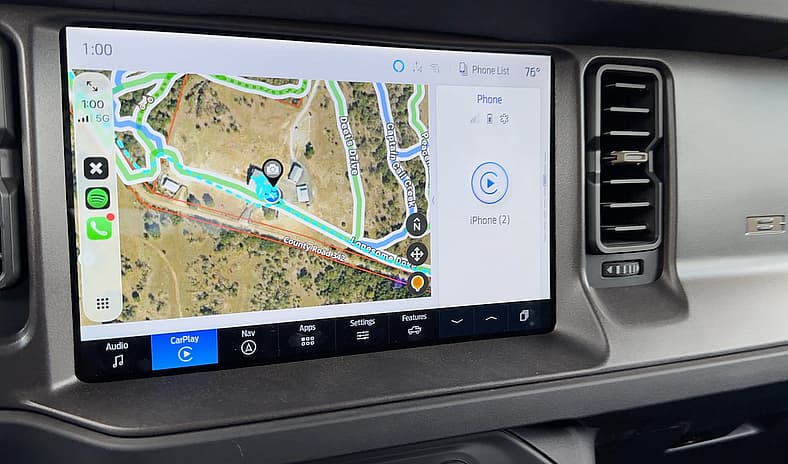
Not long ago I sat with a number of enthusiastic off-roaders and we got to talking about OnX, the off-road mapping app that charts trails, dirt roads and more, and categorizes them for difficulty, from green to black. Some had used it, others hadn’t yet and yet others were unaware of it.
For them, this was an eye-opener. In addition to rating trails, the app lets you store locations, find off-road parks, store your favorites, share your location, see the ownership of land around you—ideal for finding Bureau of Land Management and National Forest Service roads!—so you can avoid private property. OnX maps can be used offline when cell service is absent, allow you to build a route and you can add photos, leave trail reports and more.
Read: I Did a Thing I Never Thought I’d Do: Drove Off-Road Solo in the Ford Bronco
OnX Has Humans At The Helm, Too

Probably the best part, though, is that OnX has a team that drives and rates every trail so you have insight on where you’re going in a place with no signs and often, no other people.
I find that even though this app, which has affordable price tiers, was created for off-roaders, it’s great for on-road driving too; if you like maps, it’s fascinating and I find myself using it all the time.
PlugShare Is My Go-To For Planning and Taking EV Road Trips
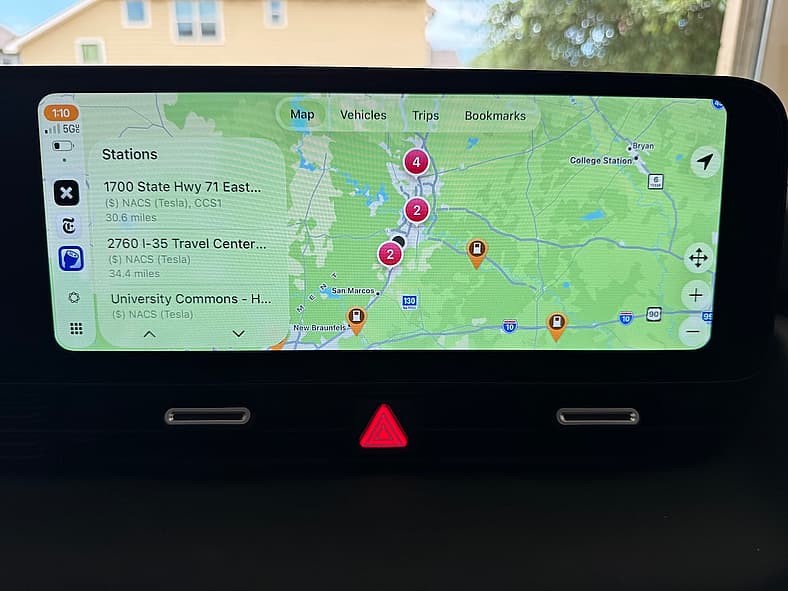
This has been my primary app for a while now and I use it all the time when I’m in my Hyundai Ioniq 5 or test-driving an EV. PlugShare has filters that let you search for fast chargers, bathrooms, food, lighted parking lots and more.
Yes, EV makers have added updated their systems and deliver pretty good charging guidance on their navigation systems, but I need more. And, I need it to be portable, so I can plan my route on my phone rather than while sitting in my car.
Read: I Took a Solo Road Trip in the Mustang Mach-E Using Public EV Chargers. This is How It Went
This Is a Great Back-up System For Other Apps

If I do use the native system in my car, or use Ask Maps or Google Search, then have a change of heart or question where the system is sending me, I go to PlugShare to double check my information. It’s saved me more than a few times when I got off track.
While it’s not integrated into my car and can’t estimate range or charge time once I arrive, I trust the information, reviews and details; I can do the rest of the math on my own.
And that’s not a bad exercise to keep me engaged as I drive, phone down, eyes up and enjoying the drive.

More About:Car Culture