
The Google Maps Update Is Now Smarter and Easier to Use, Thanks to Gemini
Google Maps has changed how we get around. Now, it'll change how we think about where we're going

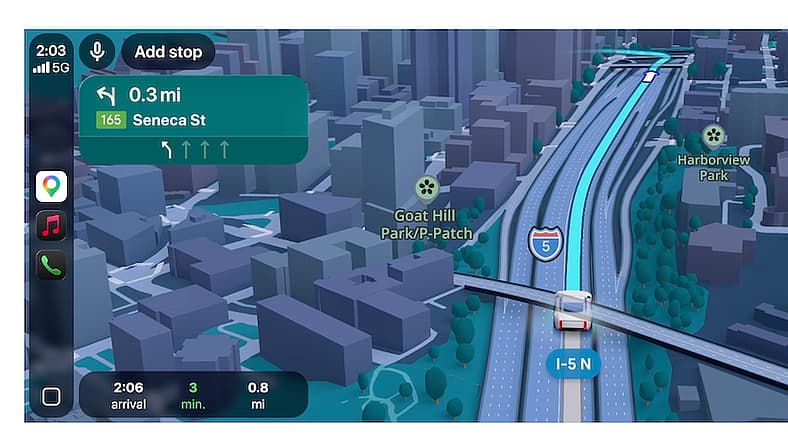
If you’re like me, Google Maps is my go-to: On my phone, on Apple CarPlay, on my laptop. I plan my trips, search drive time, look at the locations of the places I’m going and send links to people who are meeting me so we’re actually going to the same place.
But the app has made me lazy and now, I make mistakes I shouldn’t, missing turns or discovering that I was the one who went to the wrong location.
This story is 100% human-researched and written based on actual first-person knowledge, extensive experience and expertise on the subject of cars and trucks.
A Monumental Google Maps Update Is Rolling Out
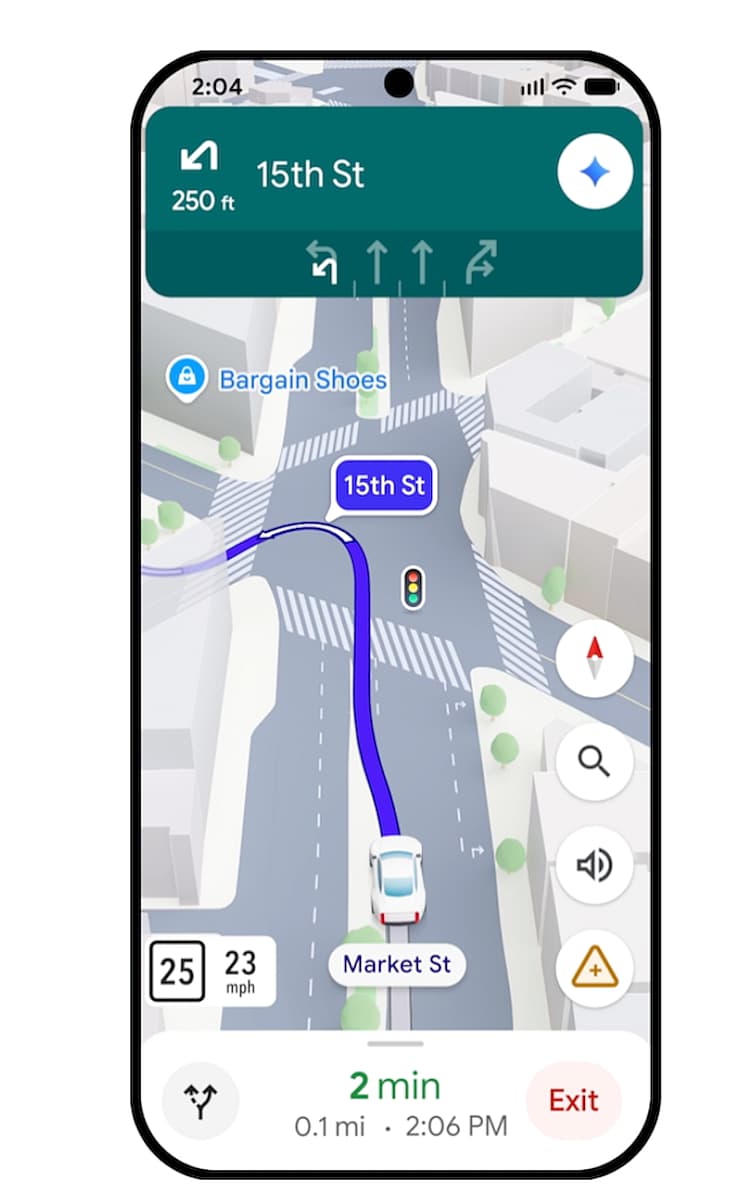
Apparently, I’m not alone. Google, in preparing an update to Google Maps, studied how people use the app, the frustrations they have (clearly someone does read the comments!) and looked at the number of missed turns, re-routes and more.
And then, it did what we’re all learning to do: It asked Gemini AI to make it better.
The result is the rollout of a new version of Google Maps that’ll be coming to your phone soon if it hasn’t already. And, there are some features that are new even if your version of Google Maps isn’t yet updated. I sat with Charles Armstrong, Google’s product lead for driving navigation, and he told me what this is all about and what you’ll see in the near future (if you haven’t already; updated Maps is live in many places but not everywhere yet).
Related: No Stress, No Anxiety, No Guessing: Have a Flawless Road Trip with an EV Route Planner
Why Google Maps Felt This Update Was Needed
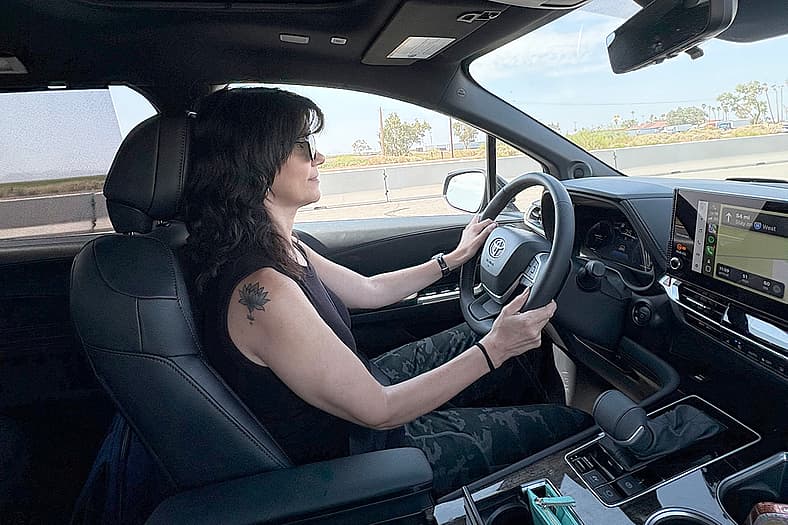
Charles, who has worked at Google for more than a decade, has been one of the architects of Google Maps for much of that time. We have him and his colleagues to thank for all the features we have come to love, like an integrated street view (big yay for knowing if I even want to drive through that neighborhood), satellite view, traffic volume details and turn by turn navigation.
But they knew they could do better.
This is the “biggest update we’ve made in navigation in over a decade,” Charles said. They spent time “looking at a lot of the driver challenges that people face in their day-to-day driving. And as we work backward from that, we found an opportunity to really improve confidence to build a more confident navigation experience, especially for drivers.”
And that’s really the goal: To create more confidence for people behind the wheel, especially if they can’t look away to check the map while they are driving.
Read: Road Trip Hacks You Need To Know Before Hitting the Road
Gemini Helps Create a More Human Google Maps Experience

Probably the biggest area that Charles and his team knew they needed to improve was creating a more human-like navigation experience. When you have a navigator looking at the map and comparing directions to what they see from their seat, you get more intuitive directions. “Proceed 350 feet and turn left,” said no one, ever.
“At the end of this block turn left right before the Starbucks,” is more like what your friend or partner would say. And that’s the intention of Google Maps, to give you that level of guidance.
And then, just like your friend, or partner, you can ask for more details. “Ooooh Starbucks! Do they have lavender matcha on the menu?”
Ask Maps Adds a Whole New Level of Information For the Asking
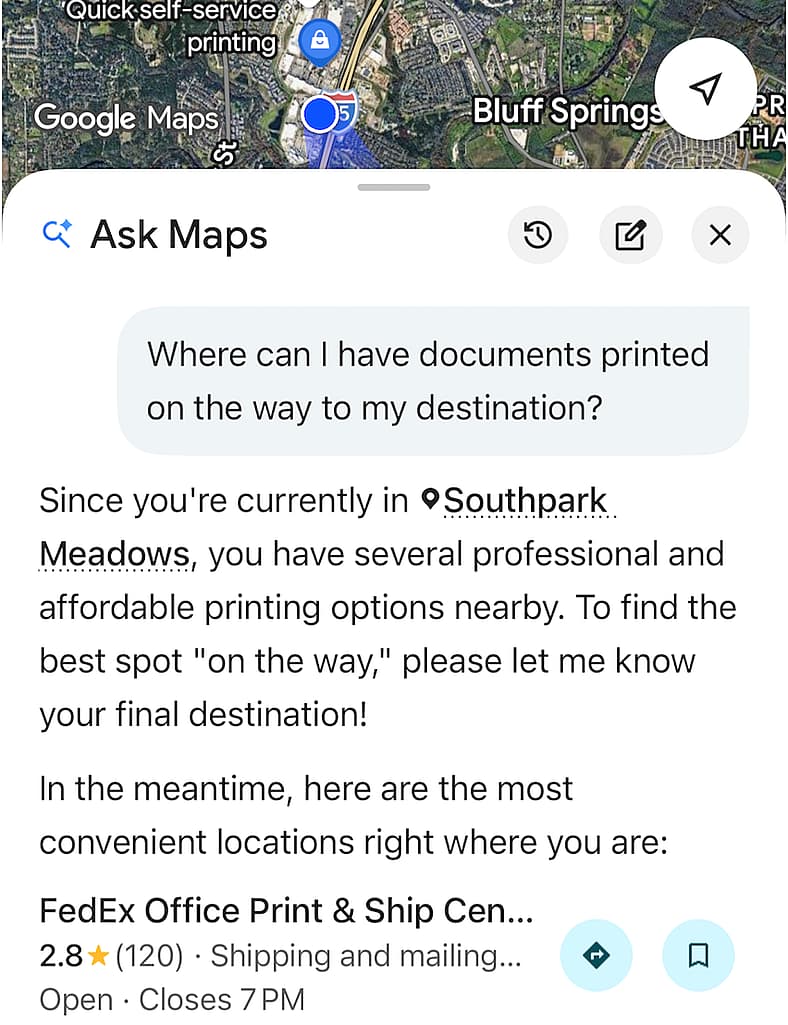
Even though not all Google Maps users will see the redesigned app on their local streets yet, the current app does have Ask Maps which uses Gemini AI to dive deeper into your questions. And, it’s very conversational.
The other day I asked Maps to navigate to an event on my calendar, and then I asked “and find someplace to stop and print documents on the way.” And, it did. It sent me to a FedEx shop just off the highway, one I’ve used before and know to be a good option. It listed hours, services and more and allowed me to add it to my navigation.
Using Gemini the system can also answer questions about hours, parking, menus, and even more complicated questions, such as whether or not lavender matcha is available. As the system learns, it’ll be able to answer even more complicated questions.
A New Graphic Look Lets Google Maps See Around Corners
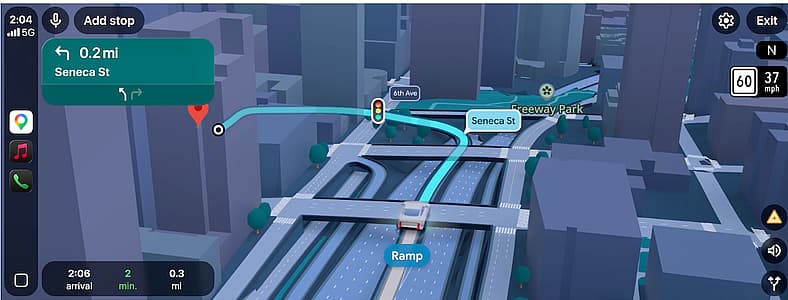
Gemini will enhance the experience in other ways, adding to the human-level guidance that we often really need to find our way in an unfamiliar place. That’s because as it learns all the subtleties and specifics of a place it can translate those details into more intuitive guidance and turns them into visuals that are easy to decipher. Such as whether the road across the highway is an underpass or an overpass, or the distinction between a street and an onramp, which can often sit side by side and cause confusion.
And, it’ll show the height of buildings and other obstacles that might impede your view, essentially letting you look around corners and see over hills to things you can’t see from the driver’s seat.
Using Google Maps In Your Car: Apple CarPlay and Android Auto

One of the best things is that the new Google Maps system will display on your screen if you’re using Apple CarPlay or Android Auto. So just as you see your navigation on the screen now, you’ll see the new system (as it updates) on the screen. For drivers with Apple CarPlay and Android Auto on the driver’s display and head up display, those graphic interfaces won’t change—yet. That’s something that Google has to collaborate on with car makers since they don’t own the interface. But if Mercedes-Benz’ augmented navigation, which does a similar thing, is any indication, the Google system will be implemented soon.
Volvo, GM and Mercedes-Benz Drivers Will Get a Head Start

In the last few years Volvo, GM—Cadillac, Chevrolet, Buick and GMC—and Mercedes-Benz have implemented Google systems in their vehicles. The most recent update includes Gemini AI integration to offer even more function.
Volvo, for instance, demonstrated in the Volvo EX60 that the system will connect your Google account to the car in a way that allows a driver to essentially accomplish larger tasks via voice conversation. You can do things like access navigation based on a calendar appointment, add items to your calendar, make notes on the calendar, send a message to the people on your calendar invitation and more, very much like we used to do with our assistants—when we had assistants.
And then you can have it look for a place to stop and print those documents; no doubt you’ll soon be able to send those documents, have them printed, pay with your Google wallet and simply pick them up without having to wait for the machine. Isn’t that brilliant?
So if you ever find yourself talking to your navigation app and asking why the heck it guided you into a traffic jam or a sketchy neighborhood, now it can answer, and correct the error, and learn to not do that again. And you won’t be the only person driving around talking to your car; we’ll all be doing it.

More About:Car Culture